February 11, 2011

Dashed Hearts


2-Column
<script>document.write(unescape("%3Cstyle%20type%3D%22text/css%22%3Ebody%7Bbackground-image%3Aurl%28%22http%3A//backgrounds.blogdesignsbydani.com/Crazy4Monograms/Dashed Hearts.jpg%20%22%29%3Bbackground-position%3Acenter%3B%20background-repeat%3A%20no-repeat%3B%20background-attachment%3A%20fixed%3B%7D%3C/style%3E%20%3Cdiv%20id%3D%22tag%22%20style%3D%22position%3Aabsolute%3B%20left%3A0px%3Btop%3A30px%3B%20width%3A150px%3B%20height%3A50px%3B%22%3E%3Ca%20target%3D%22_blank%22%20href%3D%22http%3A//www.blogdesignsbydani.com%22%20title%3D%22http%3A//www.blogdesignsbydani.com%22%3E%3Cimg%20border%3D%220%22%20src%3D%22http%3A//backgrounds.blogdesignsbydani.com/tags/DaniBrown.png%22/%3E%20%3C/a%3E%3C/div%3E"))</script>
 
  3-Column
<script>document.write(unescape("%3Cstyle%20type%3D%22text/css%22%3Ebody%7Bbackground-image%3Aurl%28%22http%3A//backgrounds.blogdesignsbydani.com/Crazy4Monograms/Dashed Hearts_3Column.jpg%20%22%29%3Bbackground-position%3Acenter%3B%20background-repeat%3A%20no-repeat%3B%20background-attachment%3A%20fixed%3B%7D%3C/style%3E%20%3Cdiv%20id%3D%22tag%22%20style%3D%22position%3Aabsolute%3B%20left%3A0px%3Btop%3A30px%3B%20width%3A150px%3B%20height%3A50px%3B%22%3E%3Ca%20target%3D%22_blank%22%20href%3D%22http%3A//www.blogdesignsbydani.com%22%20title%3D%22http%3A//www.blogdesignsbydani.com%22%3E%3Cimg%20border%3D%220%22%20src%3D%22http%3A//backgrounds.blogdesignsbydani.com/tags/DaniBrown.png%22/%3E%20%3C/a%3E%3C/div%3E"))</script>

Design Elements by Crazy-4-Monograms
(from her kit called Love Grows Here)

Matching Header

February 10, 2011

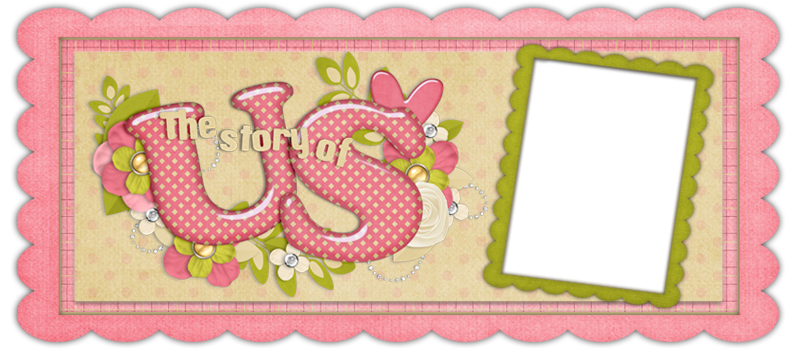
The Story of Us Header

Use with the background: Pink Stitches 


http://headers.blogdesignsbydani.com/Crazy4Monograms/Story of Us Header.png

Design Elements by Crazy-4-Monograms
(from her kit called Love Bug)


Pink Stitches


2-Column
<script>document.write(unescape("%3Cstyle%20type%3D%22text/css%22%3Ebody%7Bbackground-image%3Aurl%28%22http%3A//backgrounds.blogdesignsbydani.com/Crazy4Monograms/Pink Stitches.jpg%20%22%29%3Bbackground-position%3Acenter%3B%20background-repeat%3A%20no-repeat%3B%20background-attachment%3A%20fixed%3B%7D%3C/style%3E%20%3Cdiv%20id%3D%22tag%22%20style%3D%22position%3Aabsolute%3B%20left%3A0px%3Btop%3A30px%3B%20width%3A150px%3B%20height%3A50px%3B%22%3E%3Ca%20target%3D%22_blank%22%20href%3D%22http%3A//www.blogdesignsbydani.com%22%20title%3D%22http%3A//www.blogdesignsbydani.com%22%3E%3Cimg%20border%3D%220%22%20src%3D%22http%3A//backgrounds.blogdesignsbydani.com/tags/DaniBrown.png%22/%3E%20%3C/a%3E%3C/div%3E"))</script>
 
  3-Column
<script>document.write(unescape("%3Cstyle%20type%3D%22text/css%22%3Ebody%7Bbackground-image%3Aurl%28%22http%3A//backgrounds.blogdesignsbydani.com/Crazy4Monograms/Pink Stitches_3Column.jpg%20%22%29%3Bbackground-position%3Acenter%3B%20background-repeat%3A%20no-repeat%3B%20background-attachment%3A%20fixed%3B%7D%3C/style%3E%20%3Cdiv%20id%3D%22tag%22%20style%3D%22position%3Aabsolute%3B%20left%3A0px%3Btop%3A30px%3B%20width%3A150px%3B%20height%3A50px%3B%22%3E%3Ca%20target%3D%22_blank%22%20href%3D%22http%3A//www.blogdesignsbydani.com%22%20title%3D%22http%3A//www.blogdesignsbydani.com%22%3E%3Cimg%20border%3D%220%22%20src%3D%22http%3A//backgrounds.blogdesignsbydani.com/tags/DaniBrown.png%22/%3E%20%3C/a%3E%3C/div%3E"))</script>

Design Elements by Crazy-4-Monograms
(from her kit called Love Bug)

Matching Header

How Wide is Your Screen?

Have you noticed that the backgrounds you choose don't always look the same on your blog as they do on this site? Sometimes the sides are cut off and you can't see the whole picture. Or the images are way too big. It all has to do with the width of your computer screen. I use a widescreen computer and I see this when I go my blog:

But, when I go to other computers, I see something like this:


If you go to other free blog background sites, sometimes their backgrounds don't cover the whole screen.  My backgrounds are made extra wide and should fit all wide screens.

**If you adjust the zoom on your screen, this will also affect how much of the background you will see. Of course, it will change the size of your text too. To zoom in or out, go to the View menu and choose Zoom. Adjust the Zoom to your liking.

Cute Fonts through Blogger

I posted earlier about how to add cute fonts to your blog. I then encountered problems and decided to go another route. Blogger actually has some really good fonts that are easy to install. I hadn't looked into it much because I thought the only fonts they had were the basic word-processing kind of fonts. But they actually have a decent selection.

Here's how to add them:

1. From your Blogger Dashboard, click Design.
2. Click on Template Designer from the upper left hand corner.
3. Click on Advanced from the upper left hand corner.
4. In the 2nd column from the left (next to Advanced) scroll down until you see "text font". To change the text font, click on text font and then scroll through the list of fonts. Click on the fonts to view them on your blog.
5. Make the text Bold or Italics by clicking either B or I.
6. To change the size of the text, either use the drop-down menu or enter a value (a percentage) yourself. If you use the drop-down menu, all of the text will be the exact same size. This means that your post titles, sidebar text, post text, etc. will all be the same size. Try it out, often this will look funny. If you enter a percentage, then the text will increase or decrease in size but they will do so proportionally. That means, if your post titles were twice as big as your text, then when you change the percentage to 120%, the post title will still be twice as big as your text, but they will both be 20% bigger than they were before. Enter different percentages and see what you like best. Lower than 100% makes the text smaller, higher makes the text bigger. (Click outside of the box, in the gray area, to see the changes applied.)
7. Repeat this for the Sidebar Title Font (which includes the date), Blog Title Font, Blog Description Font, and Post Footer Font (the text where your labels and comments are).
8. Once you like what you see, click Apply to Blog in the top right corner and then either View Blog or Back to Blogger.
9. To go back to your blog without saving changes, click Back to Blogger. Your blog will look the same as it did before you went to the Template Designer.

Here's an image of what you will see when you edit the fonts (click on the image to see it bigger):


If you like the fonts on my blog, they are:
     Georgia for the text font (I like a basic font for text so that it is easier to read.)
     Rock Salt for the sidebar title font
     Neucha for the footer font (I had to choose a small font to fit all of my comment categories.)

February 9, 2011

Roses Are Red Header

Use with the background: Roses Are Red 


http://headers.blogdesignsbydani.com/SummertimeDesigns/Roses are Red Header.jpg

Design Elements by Summertime Designs
(from her kit called 14 Days of Valentines)


Love You Header

Use with the background: Love You 


http://headers.blogdesignsbydani.com/JustSoScrappy/Love You Header.png

Design Elements by Just So Scrappy
(from her kit called Love Birds)


Flowers and Love Header

Use with the background: Flowers and Love


http://headers.blogdesignsbydani.com/Crazy4Monograms/Flowers and Love Header.png

Design Elements by Crazy-4-Monograms
(from her kit called Love Bug)


February 4, 2011

Brown Hearts


2-Column
<script>document.write(unescape("%3Cstyle%20type%3D%22text/css%22%3Ebody%7Bbackground-image%3Aurl%28%22http%3A//backgrounds.blogdesignsbydani.com/Crazy4Monograms/Brown Hearts.jpg%20%22%29%3Bbackground-position%3Acenter%3B%20background-repeat%3A%20no-repeat%3B%20background-attachment%3A%20fixed%3B%7D%3C/style%3E%20%3Cdiv%20id%3D%22tag%22%20style%3D%22position%3Aabsolute%3B%20left%3A0px%3Btop%3A30px%3B%20width%3A150px%3B%20height%3A50px%3B%22%3E%3Ca%20target%3D%22_blank%22%20href%3D%22http%3A//www.blogdesignsbydani.com%22%20title%3D%22http%3A//www.blogdesignsbydani.com%22%3E%3Cimg%20border%3D%220%22%20src%3D%22http%3A//backgrounds.blogdesignsbydani.com/tags/DaniBrown.png%22/%3E%20%3C/a%3E%3C/div%3E"))</script>
 
  3-Column
<script>document.write(unescape("%3Cstyle%20type%3D%22text/css%22%3Ebody%7Bbackground-image%3Aurl%28%22http%3A//backgrounds.blogdesignsbydani.com/Crazy4Monograms/Brown Hearts_3Column.jpg%20%22%29%3Bbackground-position%3Acenter%3B%20background-repeat%3A%20no-repeat%3B%20background-attachment%3A%20fixed%3B%7D%3C/style%3E%20%3Cdiv%20id%3D%22tag%22%20style%3D%22position%3Aabsolute%3B%20left%3A0px%3Btop%3A30px%3B%20width%3A150px%3B%20height%3A50px%3B%22%3E%3Ca%20target%3D%22_blank%22%20href%3D%22http%3A//www.blogdesignsbydani.com%22%20title%3D%22http%3A//www.blogdesignsbydani.com%22%3E%3Cimg%20border%3D%220%22%20src%3D%22http%3A//backgrounds.blogdesignsbydani.com/tags/DaniBrown.png%22/%3E%20%3C/a%3E%3C/div%3E"))</script>

Design Elements by Crazy-4-Monograms
(from her kit called Still the One)

Matching Header

February 3, 2011

Flowers and Love


2-Column
<script>document.write(unescape("%3Cstyle%20type%3D%22text/css%22%3Ebody%7Bbackground-image%3Aurl%28%22http%3A//backgrounds.blogdesignsbydani.com/Crazy4Monograms/Flowers and Love.jpg%20%22%29%3Bbackground-position%3Acenter%3B%20background-repeat%3A%20no-repeat%3B%20background-attachment%3A%20fixed%3B%7D%3C/style%3E%20%3Cdiv%20id%3D%22tag%22%20style%3D%22position%3Aabsolute%3B%20left%3A0px%3Btop%3A30px%3B%20width%3A150px%3B%20height%3A50px%3B%22%3E%3Ca%20target%3D%22_blank%22%20href%3D%22http%3A//www.blogdesignsbydani.blogspot.com%22%20title%3D%22http%3A//blogdesignsbydani.blogspot.com%22%3E%3Cimg%20border%3D%220%22%20src%3D%22http%3A//backgrounds.blogdesignsbydani.com/tags/DaniBrown.png%22/%3E%20%3C/a%3E%3C/div%3E"))</script>
 
  3-Column
<script>document.write(unescape("%3Cstyle%20type%3D%22text/css%22%3Ebody%7Bbackground-image%3Aurl%28%22http%3A//backgrounds.blogdesignsbydani.com/Crazy4Monograms/Flowers and Love_3Column.jpg%20%22%29%3Bbackground-position%3Acenter%3B%20background-repeat%3A%20no-repeat%3B%20background-attachment%3A%20fixed%3B%7D%3C/style%3E%20%3Cdiv%20id%3D%22tag%22%20style%3D%22position%3Aabsolute%3B%20left%3A0px%3Btop%3A30px%3B%20width%3A150px%3B%20height%3A50px%3B%22%3E%3Ca%20target%3D%22_blank%22%20href%3D%22http%3A//www.blogdesignsbydani.blogspot.com%22%20title%3D%22http%3A//blogdesignsbydani.blogspot.com%22%3E%3Cimg%20border%3D%220%22%20src%3D%22http%3A//backgrounds.blogdesignsbydani.com/tags/DaniBrown.png%22/%3E%20%3C/a%3E%3C/div%3E"))</script>

Design Elements by Crazy-4-Monograms
(from her kit called Love Bug)

Matching Header